Straddle EA: The Ultimate Breakout & News Trading Robot
Capture explosive market volatility on both sides of price action. Featuring intelligent two-sided pending orders (Buy Stop & Sell Stop), One-Cancels-Other (OCO) logic, dynamic trailing stops, and institutional-grade risk safeguards.
How Two-Sided Straddling Operates
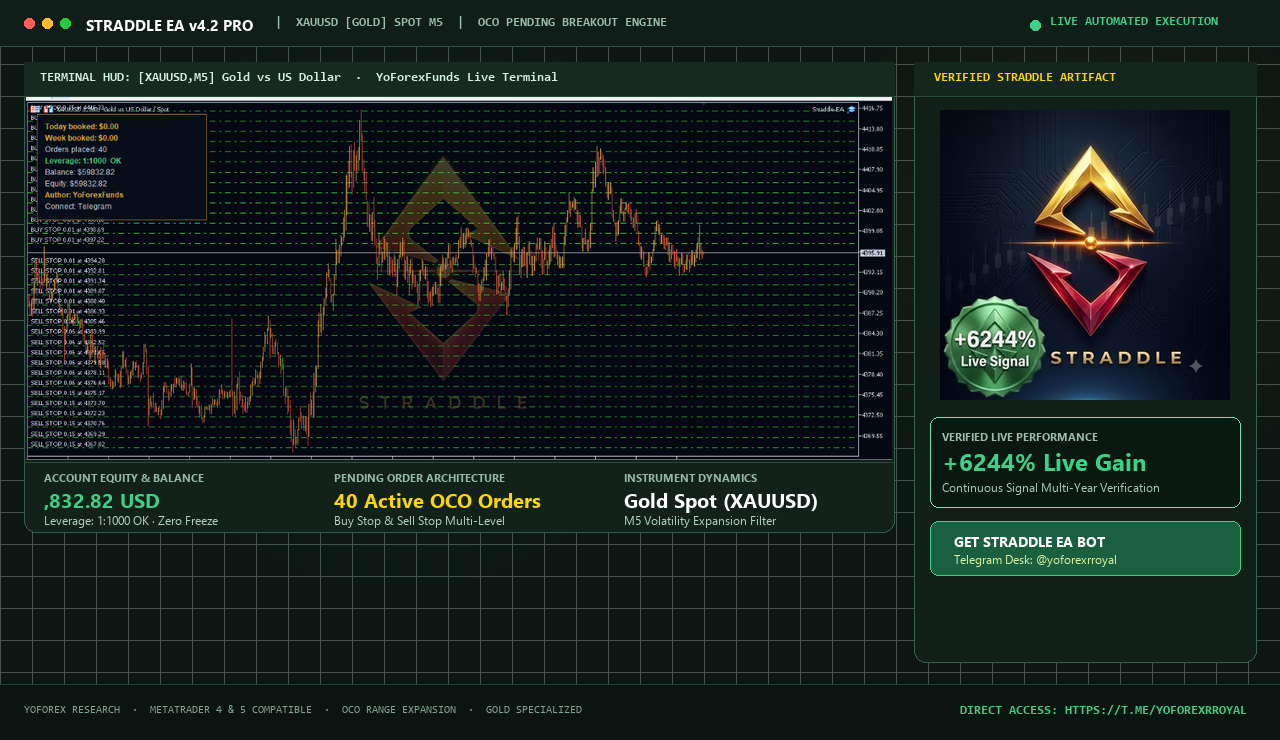
Placed above recent resistance or consolidation. Executes instantly when price spikes upward.
The quiet pre-breakout trading channel where orders remain dormant and spreads are monitored.
Placed below support. Triggers if downward momentum expands, followed by OCO cancellation.
What is the Straddle EA?
The Straddle EA is an automated algorithmic trading robot engineered specifically for MetaTrader 4 (MT4) and MetaTrader 5 (MT5). Unlike standard trend-following systems that attempt to predict which way the market will move, a straddle strategy is direction-agnostic: it prepares for an explosive move ineither direction by positioning conditional pending orders above and below the prevailing market price.
Whether triggered by high-impact macroeconomic announcements—such as US Non-Farm Payrolls (NFP), Consumer Price Index (CPI) inflation readings, Federal Reserve FOMC rate decisions—or technical range breakouts during London and New York session opens, the Straddle EA eliminates manual hesitation, emotional anxiety, and execution latency.
Forex and Gold markets spend over 70% of their time consolidating in tight bands before expanding rapidly into strong trends. The Straddle EA monitors these tight bands and positions conditional entries right at the breakout boundary.
How the Straddle Algorithm Executes Trades
Understanding the mechanical workflow of the EA ensures you deploy the right parameter set for current market liquidity:
Range Calculation & Price Pinning
The EA samples the recent price candles (e.g., M5 or M15) or reads a scheduled news clock to identify the highest high and lowest low of the reference period. This forms the core neutral zone.
Dual Pending Order Deployment
A Buy Stop order is placed at High + Buffer Pips with defined Stop Loss and Take Profit. Simultaneously, a Sell Stop order is placed at Low - Buffer Pips with matching protective exits.
One-Cancels-Other (OCO) Activation
The moment price breaches either boundary and fills one of the pending orders, the built-in OCO engine executes. It immediately deletes the remaining counter-order, preventing the account from being trapped in unintended hedging during sudden market pullbacks.
Dynamic Trailing & Stealth Profit Locks
Once the active position achieves a configured profit distance (e.g., +15 pips), the Break-Even function shifts the Stop Loss to entry price + spread. From there, a step-by-step Trailing Stop tracks favorable price movement to lock in gains.
Straddle EA for Economic News Trading
Trading economic data manually is fraught with dangers: broker requotes, massive bid-ask spread widening, and execution paralysis. The Straddle EA solves this with specialized news staging features:
| Economic Release | Typical Affected Assets | Average 1-Min Movement | Recommended Buffer Setting |
|---|---|---|---|
| US Non-Farm Payrolls (NFP) | XAUUSD, EURUSD, USDJPY, US30 | 40 – 120 pips | 25 – 35 pips |
| Consumer Price Index (CPI) | XAUUSD, GBPUSD, EURUSD | 35 – 90 pips | 20 – 30 pips |
| FOMC / Fed Rate Decision | XAUUSD, US30, NAS100, EURUSD | 50 – 150 pips | 30 – 45 pips |
| ECB / BoE Rate Policy | EURUSD, EURGBP, GBPUSD | 30 – 80 pips | 20 – 25 pips |
NewsMinutesBefore = 2 to ensure orders are placed just moments prior to the release before spreads widen. Set MaxSpread = 25to automatically cancel entries if broker liquidity dries up prior to the print.Input Parameters & Recommended Presets
Below is the comprehensive parameter breakdown for Straddle EA. Presets can be tailored for rapid scalping or high-volatility news releases:
| Parameter Name | Default | News Preset | Session Breakout | Description |
|---|---|---|---|---|
PipsDistance | 20 | 25 – 35 | 15 – 20 | Distance in pips from reference price to pending order level. |
TakeProfit | 40 | 60 – 100 | 30 – 50 | Target profit distance in pips per trade. |
StopLoss | 20 | 25 | 15 | Protective stop loss in pips from execution price. |
UseTrailingStop | true | true | true | Enables automatic trailing of stop loss behind price action. |
TrailingStart | 15 | 20 | 10 | Profit in pips before trailing stop begins moving. |
TrailingStep | 5 | 5 | 3 | Pips increment for moving the trailing stop level. |
UseBreakEven | true | true | true | Moves stop loss to entry + spread once threshold reached. |
BreakEvenPips | 12 | 15 | 10 | Floating profit in pips required to trigger Break-Even. |
OneCancelsOther (OCO) | true | true | true | Automatically deletes opposite pending order upon first fill. |
MaxSpread | 30 | 25 | 20 | Blocks order placement if broker spread exceeds this value (points). |
OrderExpirationMins | 30 | 15 | 60 | Cancels dormant pending orders if no breakout occurs within time limit. |
LotSize | 0.01 | Scaled | Scaled | Fixed lot volume or base unit for autolot calculation. |
RiskPercent | 1.0% | 0.5% – 1.0% | 1.0% – 2.0% | Automatic position sizing based on available account equity. |
MaxDailyLossPercent | 3.0% | 2.5% | 3.0% | Hard account stop. Terminates all trading if daily drawdown hit. |
Need custom .set configuration files for your broker or specific account size? Contact our algorithmic desk on Telegram: https://t.me/yoforexrroyal.
Trading Gold (XAUUSD) with Straddle EA
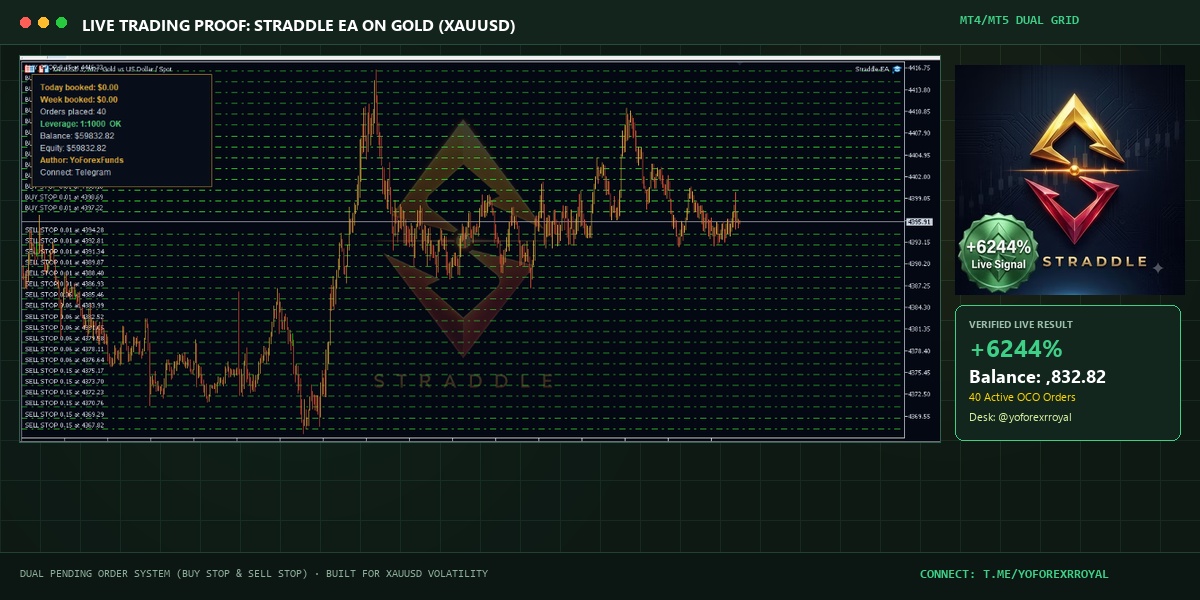
Gold (XAUUSD) is by far the most profitable and widely traded instrument with the Straddle EA. The physical metal is acutely sensitive to geopolitical shifts, dollar fluctuations, bond yields, and central bank reserve purchases.
- Massive Average True Range (ATR): While currency pairs like EURUSD may move 60-80 pips daily, Gold frequently experiences intraday expansions of 200 to 500 pips.
- Clear Directional Momentum: Once Gold punches through a daily high or low, institutional volume typically propels the move for dozens of pips before the first pullback.
- Recommended Gold Timeframe: Attach the EA to an M5 chartwith a 30-pip pending buffer and an aggressive trailing stop to capture sharp expansions.
Straddle EA vs. Grid & Martingale Systems
Many retail automated robots rely on dangerous Martingale lot doubling or unhedged grid layering that can wipe out an entire account during an adverse trend. Here is how Straddle EA compares:
| Feature / Metric | Straddle EA (OCO) | Grid Trading EA | Martingale Recovery EA |
|---|---|---|---|
| Order Type | Dual Pending Breakout Orders | Fixed Price Grid Layers | Averaging Down with Multipliers |
| Directional Risk | Low (Trades with the breakout) | Moderate (Needs range return) | Extreme (Can blow account in 1 trend) |
| Stop Loss Protection | Mandatory on every trade | Often absent or basket-only | Typically omitted or late |
| Opposite Order Handling | Deleted instantly (OCO) | Accumulated as hedge | Doubled volume upon loss |
| Drawdown Profile | Controlled & Capped | Long floating drawdown | Exponential catastrophic risk |
| Best Market Regime | High Volatility & Trends | Flat Sideways Channels | Quiet rangebound markets only |
How to Install Straddle EA on MetaTrader 4 & 5
- Download the EA File: Obtain the official
Straddle_EA.ex4orStraddle_EA.ex5by connecting with our team on Telegram at https://t.me/yoforexrroyal. - Open MetaTrader Data Folder: Open your MT4 or MT5 terminal, click File → Open Data Folder.
- Paste into Experts Folder: Navigate to
MQL4/Experts(orMQL5/Experts) and paste the file into this folder. - Enable Algorithmic Trading: In MetaTrader, go to Tools → Options → Expert Advisors tab, and check "Allow Algorithmic Trading" (and "Allow DLL imports" if news calendar sync is active).
- Attach to Chart: In the Navigator window, right-click Expert Advisors, click Refresh, drag Straddle EA onto your chosen chart (e.g., XAUUSD M5), load your
.setpreset, and ensure the smiling face / green icon appears.
Essential Risk Management Rules
Even the best breakout algorithm faces slippage during extreme news prints or false breakout whipsaws. Adhere to these essential rules to safeguard your balance:
- Never Risk More Than 1% Per Trade: Size your lot according to your stop loss distance. A 25-pip stop loss should represent at most 1% of your overall equity.
- Always Use an ECN / Raw Spread Broker: Straddle orders require razor-thin spreads and instantaneous execution. Avoid dealing desk market-maker brokers with wide markups.
- Enforce the Max Spread Filter: During news releases, broker spreads can momentarily jump from 1.5 pips to 15 pips. The EA's
MaxSpreadsafeguard prevents orders from firing into a widened spread. - Demo Forward Test First: Test every new symbol and economic release on a demo environment for at least 30 days before transitioning to live capital.
Common Questions About Straddle EA
What makes Straddle EA different from standard breakout indicators?+
Breakout indicators only highlight price levels visually. Straddle EA actively manages the entire lifecycle: it stages dual pending orders simultaneously, watches live bid/ask spreads, executes OCO deletion of the dormant side, and automates break-even and trailing stops without requiring trader intervention.
Can Straddle EA be used on proprietary trading firm (prop firm) accounts?+
Yes! Because Straddle EA uses strict stop losses, avoids martingale lot progression, and features configurable daily drawdown stops (MaxDailyLossPercent), it complies with the risk rules of top prop firms (e.g., FTMO, FundedNext, The5ers). Always verify your firm's specific news trading restrictions before deployment.
What happens if the market spikes up, triggers Buy Stop, and immediately reverses?+
This scenario is known as a "whipsaw" or "fakeout." The EA protects you in two ways: first, the OCO engine has already removed the Sell Stop so you don't get hedged in opposite directions. Second, the predefined Stop Loss terminates the trade at an acceptable, calculated loss, preventing uncontained floating drawdown.
Do I need MetaTrader 4 or MetaTrader 5?+
Both are supported. If your broker offers MT5, we recommend it due to its faster 64-bit processing engine, superior order routing, and asynchronous tick handling during high-volatility events.
How do I get the Straddle EA files and preset configurations?+
You can connect directly with our support team on Telegram at https://t.me/yoforexrroyal (@yoforexrroyal). We provide the EA files, installation guides, recommended set files, and ongoing community support.
Ready to Deploy the Straddle EA?
Get instant access to the Straddle EA for MT4 & MT5, optimized Gold (XAUUSD) presets, news calendar schedules, and 24/7 technical setup assistance through our dedicated Telegram channel.
Direct URL: https://t.me/yoforexrroyal